
Using the Travelgenix RSS Link Builder, you can include a customised RSS feed of travel products in your Mailchimp marketing emails.
This means your audience can receive marketing emails that include live, clickable offers that lead them into the booking journey on your website.
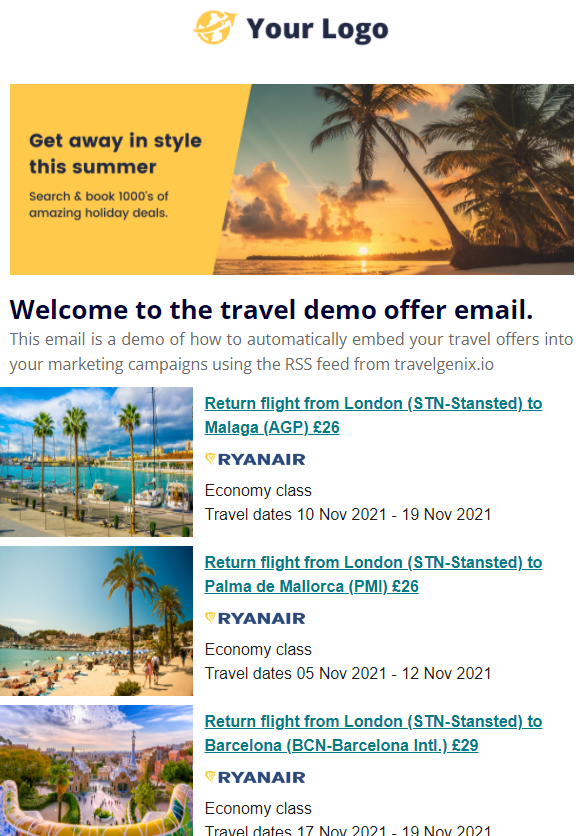
Here are a few example emails, that were created using the steps below:
- Example 1 (AP - Create a campaign, send X3 emails, link to the published URL's)
- Example 2
- Example 3
Before you start...
There are two ways to integrate RSS content into Mailchimp emails:
(a) Within a standard marketing email - Learn more on Mailchimp
(b) Within an automated email sequence - Learn more on Mailchimp
Depending on which option you need, will dictate which method you follow in this article. We advise following option (a) to create a test campaign to send to yourself first.
How to add RSS links to a standard Mailchimp email?
1
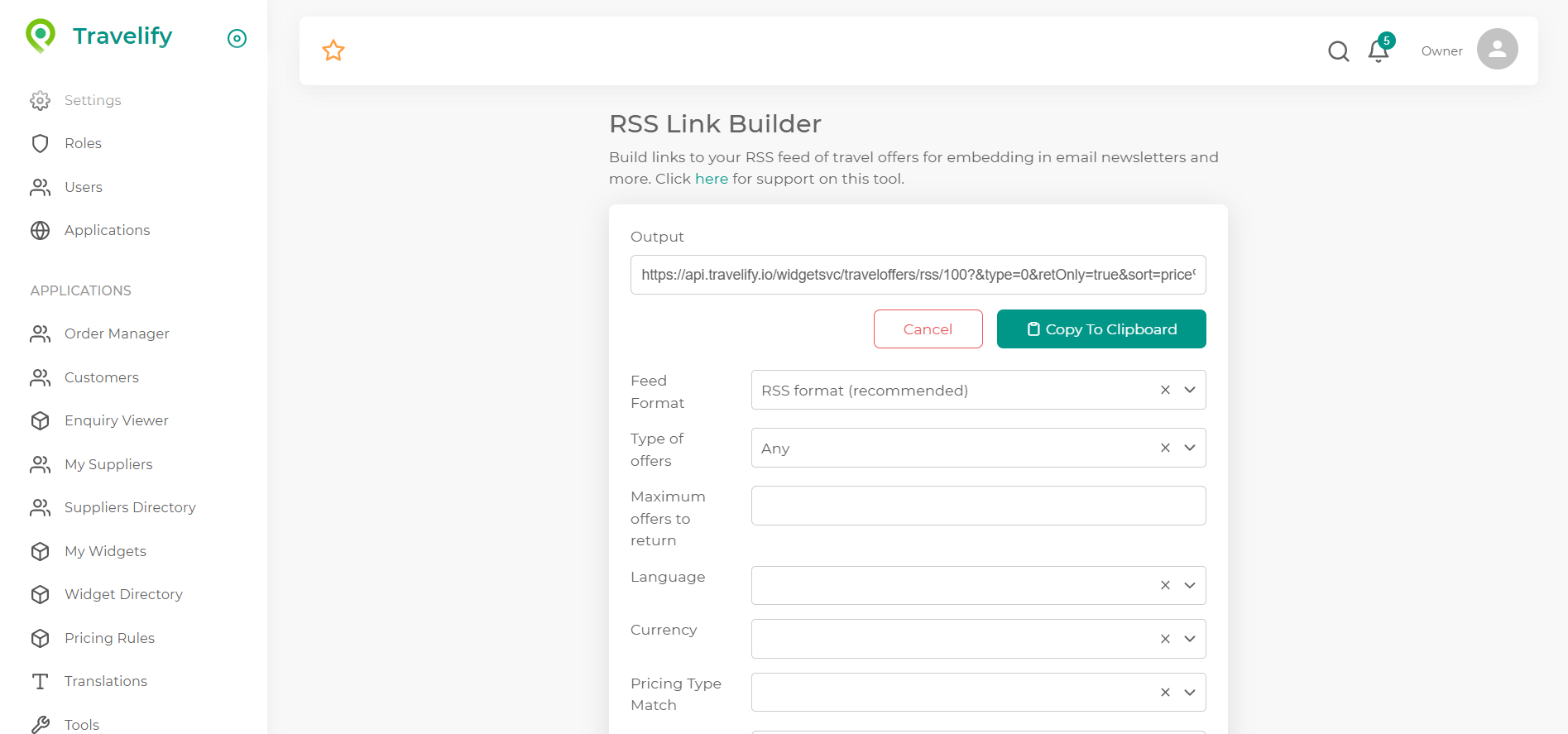
Using the RSS Link Builder, generate a custom URL that is targeted at the audience you are going to send the email to.
NOTE: If you have segmented your Mailchimp subscribers by local airport, you can create different RSS feeds based on departure airport, to increase engagement.
2
Within Mailchimp, build your email using your normal brand guidelines and styling. Please refer to Mailchimp support for guidance on this.
3
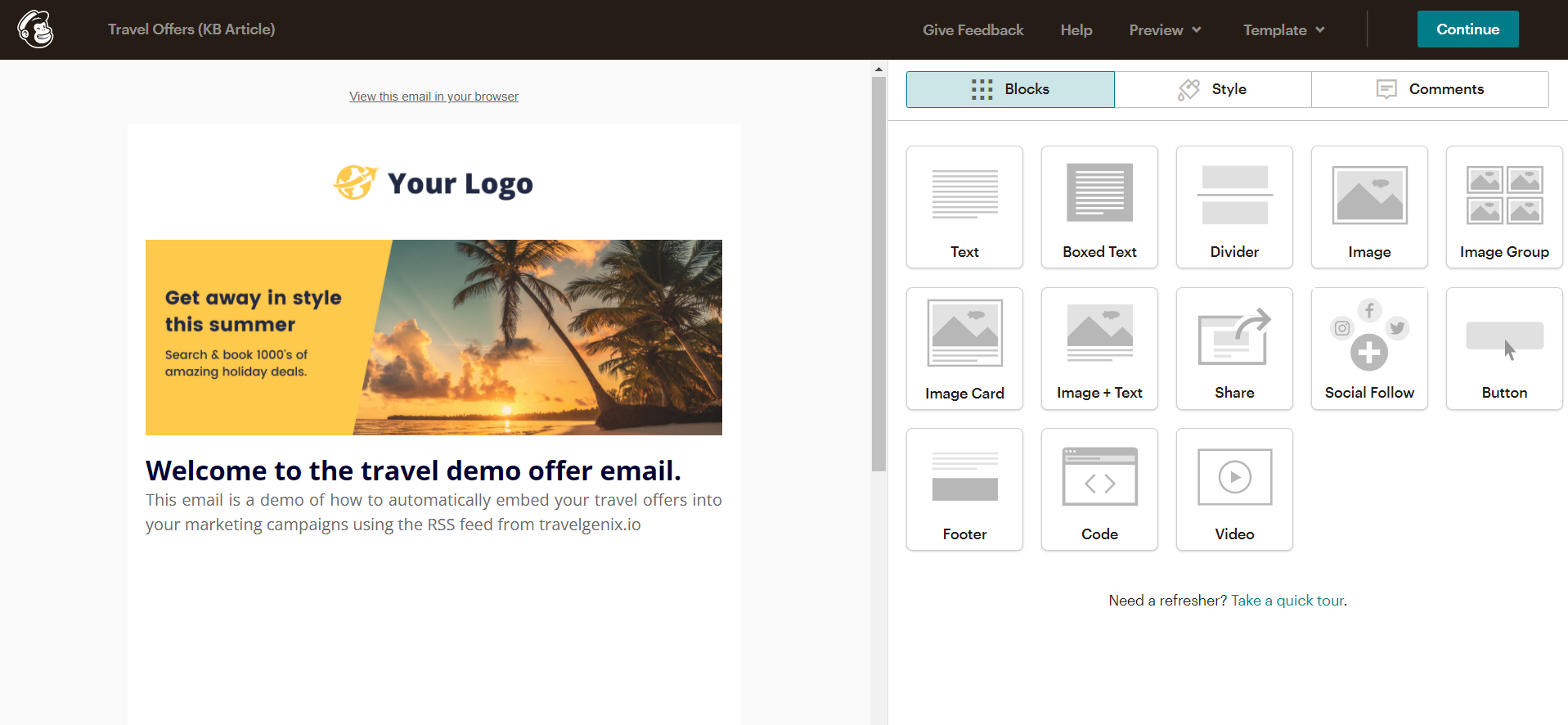
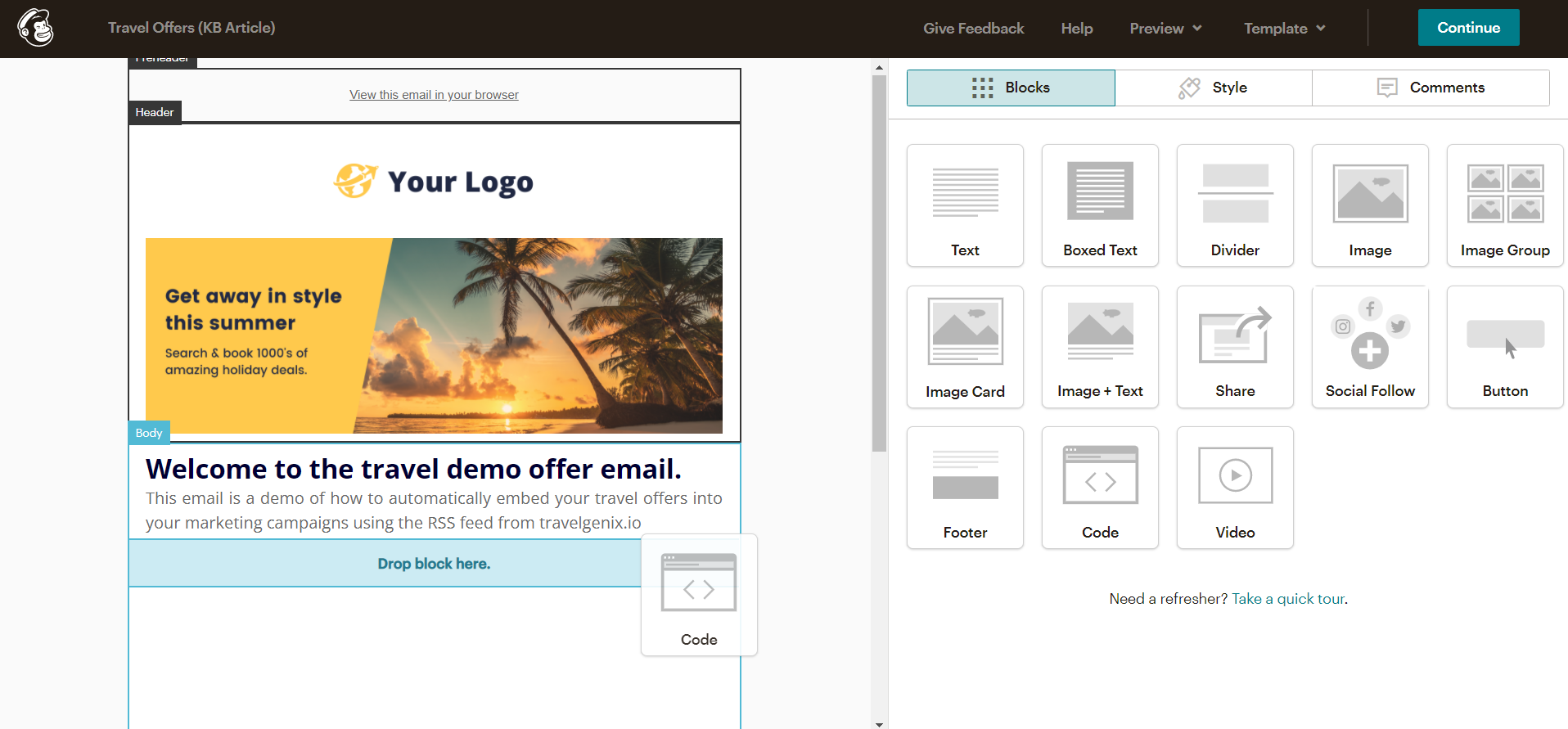
Within the Mailchimp email editor, you will need to select the Code block, and drag it onto the relevant section of your email.
4
Once the Code block is in place, you will need to add some code to it:
|FEEDBLOCK:URL|
|FEEDITEMS:[$constrain_rss_img=N]|
|FEEDITEM:CONTENT_FULL|
|END:FEEDITEMS|
|END:FEEDBLOCK|
Copy this code, and paste it into the code block you have just added to your email.
5
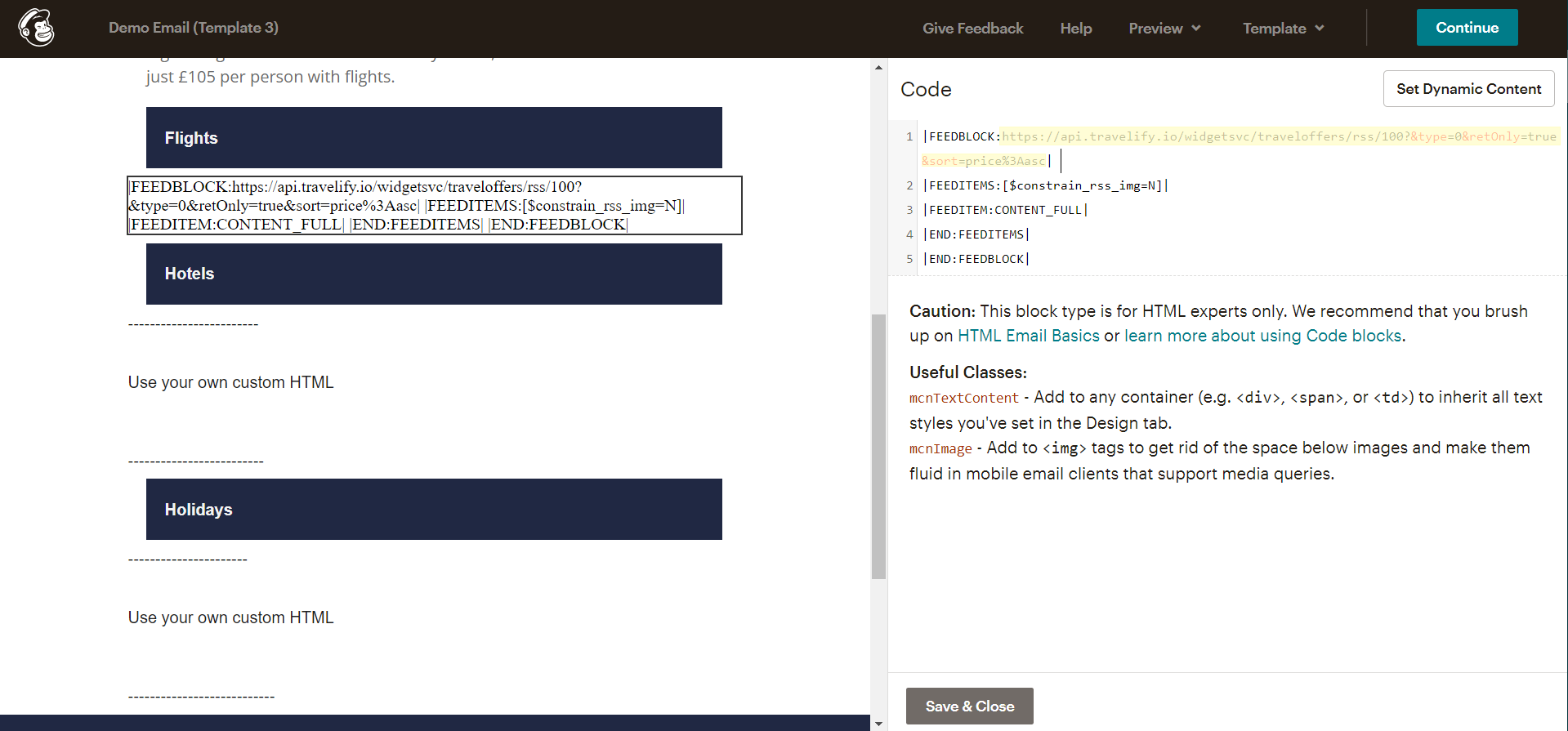
Once you have pasted this code into the code block, you will need to replace the letters URL with the custom URL that you built in step 1. It should look like this:
6
Within the Mailchimp editor, click the Save & Close button and then click Preview, followed by Enter preview mode to see what the email looks like.
[IMAGE COMING SOON]
7
Coming soon...
How to add RSS links to an automated email sequence in Mailchimp?
1
Coming soon
Comments
0 comments
Article is closed for comments.